




Not every business needs a mobile application. Many organizations can efficiently operate with a professional website, CRM, WhatsApp Business, or internal software. However, for businesses that require frequent customer interaction, field operations, or real-time access to information, a mobile application can significantly improve efficiency and user experience.
The real question is not whether every business should have a mobile app. Instead, businesses should ask whether a mobile application will solve a genuine operational challenge, improve customer experience, or simplify internal workflows.
A professional mobile app development company should help businesses answer this question before writing a single line of code. The objective should always be to solve business problems—not simply build an application.
When Does a Customer Mobile App Make Sense?
Customer-facing mobile applications are most valuable when users regularly interact with a business. Instead of repeatedly visiting a website, customers can access services directly from their smartphones through a faster and more convenient experience.
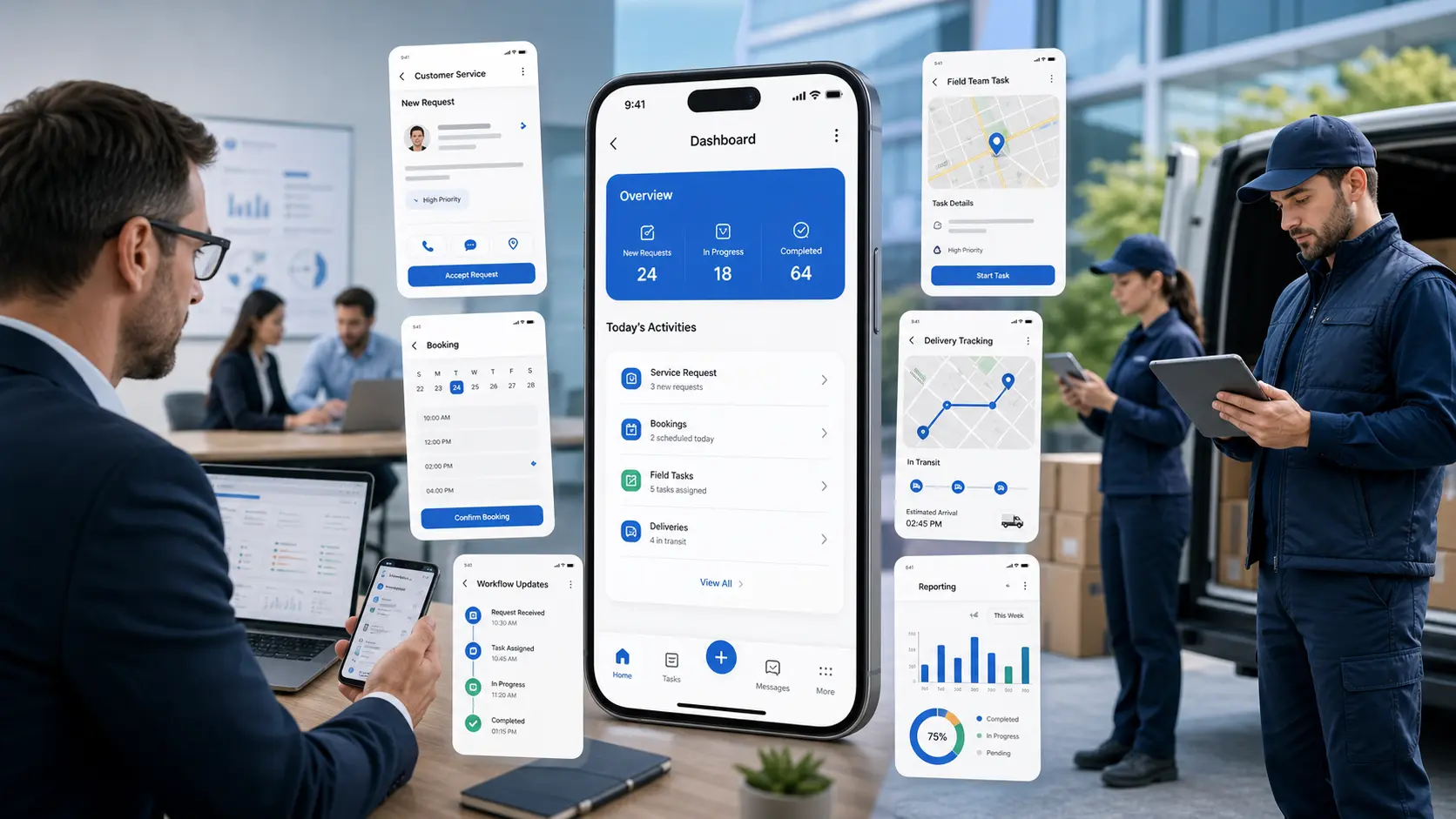
Common customer app features include:
- Appointment booking
- Order tracking
- Service requests
- Customer account management
- Purchase history
- Loyalty or rewards programs
- Push notifications
- Support requests
For example, a healthcare provider may allow patients to schedule appointments and receive reminders, while a service company may allow customers to raise support requests and track their status in real time.
If customer interaction is occasional, a responsive website may be sufficient. If customers engage with the business regularly, a mobile application can provide greater convenience and improve customer satisfaction.
Mobile Apps for Internal Teams
Business mobile applications are not only built for customers. Many organizations develop mobile apps exclusively for employees and operational teams.
Internal applications can help staff members:
- Manage daily tasks
- Mark attendance
- Submit work reports
- Upload photographs from project sites
- Receive task assignments
- Track project progress
- Receive office notifications
Businesses with field staff, technicians, sales representatives, or teams working across multiple locations often benefit significantly from dedicated mobile applications.
Booking and Appointment Applications
Appointment-based businesses frequently benefit from mobile applications that simplify the booking process.
Industries that commonly use booking applications include:
- Healthcare clinics
- Consultants
- Training institutes
- Salons and wellness centers
- Professional service providers
- Repair and maintenance companies
A booking application can display available time slots, accept appointment requests, send reminders, and notify customers about booking confirmations or changes.
If manual approval is still part of the business process, the application should support that workflow instead of forcing complete automation.
Service and Support Applications
Businesses that manage installations, maintenance, customer support, or field service operations can greatly improve efficiency through mobile applications.
Typical service app features include:
- Service request creation
- Complaint registration
- Technician assignment
- Job status updates
- Visit notes
- Photo uploads
- Customer signatures
- Spare parts tracking
- Completion reports
These features improve communication between customers, field technicians, and office staff while providing complete visibility into service operations.
Reporting Apps for Business Owners and Managers
Managers and business owners often require quick access to operational data without opening full desktop software. Mobile reporting applications provide instant visibility into key business metrics.
A management dashboard may display:
- Lead status
- Sales performance
- Pending approvals
- Inventory alerts
- Service requests
- Employee activity
- Daily business reports
While these applications do not replace complete reporting systems, they enable faster decision-making by providing important business information anytime and anywhere.
Delivery and Tracking Applications
Companies involved in logistics, transportation, product delivery, or distribution often benefit from dedicated delivery management applications.
Common delivery app capabilities include:
- Delivery assignment
- Route management
- Order tracking
- Proof of delivery
- Customer notifications
- Delivery status updates
The application should accurately reflect the company’s actual delivery workflow, including manual approvals or operational exceptions wherever necessary.
Field Team Management Applications
Field employees need applications that are fast, simple, and easy to use. Overly complicated interfaces reduce productivity and discourage adoption.
A well-designed field staff application typically allows employees to:
- View assigned work
- Update visit status
- Add notes
- Upload site images
- Capture GPS location where appropriate
- Submit daily activity reports
The purpose of an internal mobile application should always be to simplify work—not create additional reporting responsibilities.
Custom Mobile App Development vs Ready-Made Solutions
Ready-made applications can be suitable when business processes follow standard workflows. However, businesses with specialized operations often require custom mobile app development.
Custom applications become valuable when businesses require:
- Role-based user access
- Custom workflows
- Business-specific reporting
- CRM or ERP integration
- Existing software integration
- Industry-specific functionality
For example, a real estate company, field service provider, or manufacturing business may require features that generic applications cannot provide efficiently.
Should You Build a Website, Web App, or Mobile App?
Choosing the right platform depends entirely on how users interact with your business.
- Business Website: Best for presenting information, products, services, and generating enquiries.
- Web Application: Ideal for browser-based business workflows and internal systems.
- Mobile Application: Best for frequent users, push notifications, offline access, field teams, and customer convenience.
Rather than following technology trends, businesses should choose the platform that best supports their operational requirements and user expectations.
Planning Before Mobile App Development
Successful mobile applications begin with proper planning—not development. Before starting a project, businesses should clearly define user roles, required features, workflows, notifications, reporting requirements, backend systems, API integrations, administrative controls, maintenance expectations, project timelines, and future scalability.
A mobile application is more than an attractive interface. It requires a reliable backend, secure APIs, an administration panel, thorough testing, deployment planning, and continuous updates to deliver long-term business value.
Our Approach to Mobile App Development
At Auspian Technologies, we believe every successful mobile application starts with understanding the business process—not selecting a technology stack. Before development begins, we analyze your workflows, user journeys, operational challenges, and long-term objectives to recommend the most suitable solution.
We develop customer-facing mobile applications, employee apps, field service applications, business dashboards, booking platforms, delivery management apps, and custom business solutions. Depending on the project requirements, our applications can integrate seamlessly with websites, CRM systems, ERP software, APIs, payment gateways, and other business platforms.
Our goal is to build mobile applications that are intuitive, scalable, secure, and capable of solving real business challenges while delivering a seamless experience for both customers and internal teams.
Frequently Asked Questions
1. When should a business consider developing a mobile app?
A business should consider a mobile application when customers or employees require frequent interaction, appointment booking, service tracking, real-time notifications, field access, reporting, or other features that benefit from a dedicated mobile experience.
2. Is a mobile app better than a website?
Not always. A website is ideal for presenting information, improving online visibility, and generating enquiries. A mobile application becomes valuable when users interact with the business regularly and need features such as push notifications, secure logins, offline access, or personalized experiences.
3. What is internal business app development?
Internal business app development involves creating mobile applications specifically for employees, field teams, technicians, managers, or operational staff to manage tasks, reporting, attendance, inspections, service requests, approvals, and day-to-day business workflows.
4. Can a mobile app integrate with CRM or ERP software?
Yes. Custom mobile applications can integrate with CRM systems, ERP software, websites, payment gateways, APIs, inventory systems, accounting software, and other business platforms depending on your operational requirements.
5. What should be planned before starting mobile app development?
Before development begins, businesses should define user roles, essential features, workflows, backend requirements, API integrations, reports, notifications, security, project timelines, maintenance plans, and future scalability. Proper planning helps ensure the application supports long-term business growth.
Build a Mobile App That Supports Your Business
If you’re planning a customer application, employee app, field service solution, booking platform, delivery app, or a custom business application, Auspian Technologies can help you design and develop a solution that aligns with your business goals. We focus on creating secure, scalable, and user-friendly mobile applications that improve operational efficiency and deliver a better experience for your users.
Whether you need an Android app, iOS app, cross-platform solution, or a custom mobile application integrated with your existing business systems, our team can help you build a solution designed for long-term success.