




As a business grows, managing daily operations through phone calls, messages, spreadsheets, and manual records becomes increasingly difficult. Leads require timely follow-ups, customers expect regular updates, inventory must be monitored, invoices need tracking, employees require accountability, and management depends on accurate reports for better decision-making.
This is where CRM and ERP software become valuable business tools. Rather than relying on disconnected processes, businesses can manage information through a centralized system that improves visibility, efficiency, and collaboration.
Understanding CRM and ERP
CRM (Customer Relationship Management) software focuses on managing customer interactions, leads, enquiries, follow-ups, quotations, sales opportunities, and customer history.
ERP (Enterprise Resource Planning) software manages internal business operations such as inventory, purchasing, billing, production, dispatch, service management, accounts, and business reporting.
For many organisations, the ideal solution is a combination of CRM and ERP. The terminology is less important than choosing a system that effectively solves operational challenges.
CRM Explained in Simple Terms
A CRM system helps businesses organise customer-related information in one place. It keeps track of enquiries, customer conversations, follow-up schedules, quotations, sales progress, and previous interactions.
Without a CRM, valuable information often remains scattered across WhatsApp conversations, emails, notebooks, spreadsheets, and individual employees. This creates dependency on memory and makes customer management inconsistent.
A custom CRM system provides complete visibility into every lead and customer, helping sales teams stay organised and improving overall customer service.
ERP Explained in Simple Terms
ERP software connects different departments within a business so they can work with shared information instead of isolated systems.
Sales, inventory, purchasing, production, billing, dispatch, service, finance, and management reporting can all operate from the same database, reducing duplication and improving operational efficiency.
Not every business requires a complete ERP system from the beginning. Many organisations successfully start with a few essential modules and expand the system as the business grows.
Improve Lead Tracking and Follow-Up
Lead management is one of the most common uses of CRM software. Leads may originate from websites, phone calls, digital advertisements, referrals, exhibitions, or sales representatives. Every enquiry needs to be captured, assigned, tracked, and followed up systematically.
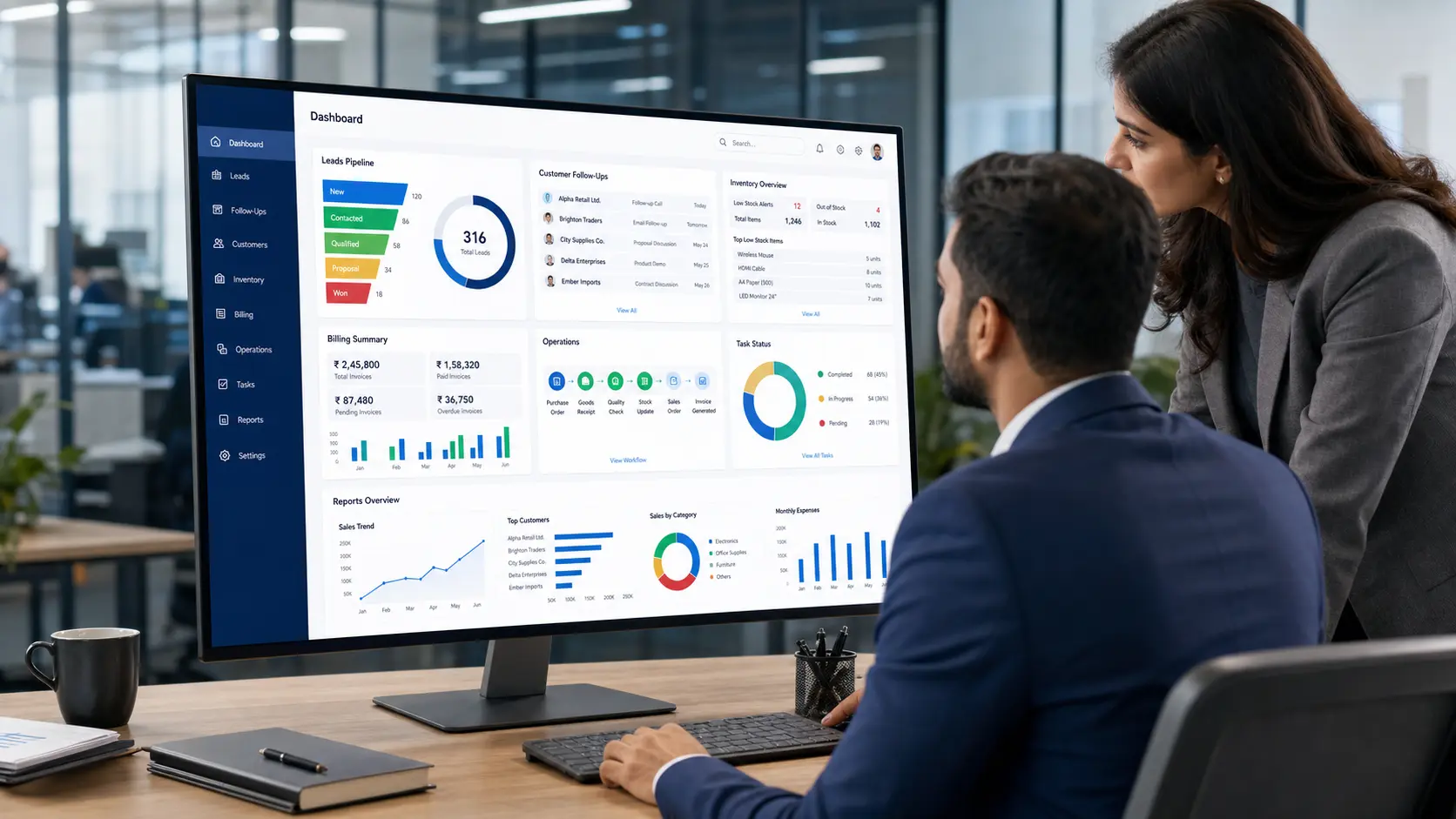
When this process is managed manually, valuable opportunities can easily be missed. A CRM allows businesses to monitor new enquiries, pending follow-ups, quotations, sales stages, lost opportunities, and upcoming actions from a single dashboard.
This provides managers and business owners with greater visibility into sales performance and customer engagement.
Maintain Complete Customer History
Customer information becomes far more valuable when it is stored centrally. Sales teams can quickly access previous discussions, quotations, complaints, orders, payment records, and service history without searching through multiple systems.
This creates a more professional customer experience while improving communication between departments. Businesses such as manufacturers, healthcare providers, real estate companies, distributors, and service organisations often benefit significantly from maintaining a complete customer history.
Manage Inventory, Billing, and Operations
ERP software helps businesses coordinate inventory management, purchasing, production, invoicing, dispatch, service requests, approvals, and operational workflows through a connected system.
For example, once a sales order is confirmed, inventory can verify stock availability, billing can generate invoices, dispatch can prepare deliveries, and management can monitor the order status—all from the same platform.
When departments operate independently, communication gaps and delays become common. ERP software helps create a smoother and more organised business process.
Better Reports Support Better Decisions
A CRM or ERP system should do more than simply store information. It should help business owners and managers make informed decisions through accurate reporting and real-time insights.
Useful reports may include:
- Lead sources and conversion rates
- Pending follow-ups
- Sales pipeline performance
- Monthly enquiry trends
- Inventory movement
- Outstanding invoices
- Employee task progress
- Service request status
- Customer activity reports
Planning these reporting requirements during the initial stages of development ensures the system captures the right information from the beginning.
Improve Team Accountability
A CRM or ERP system does not replace management—it strengthens it. When tasks, responsibilities, deadlines, and progress are clearly visible, teams become more accountable and organised.
Employees know what has been assigned to them, managers can monitor pending work, and business owners gain visibility without repeatedly requesting updates. Workflow automation can also send reminders, notifications, and alerts to keep projects moving efficiently.
Custom CRM/ERP or Ready-Made Software?
Ready-made CRM and ERP platforms are suitable for businesses with standard processes and can often be implemented more quickly.
However, businesses with specialised workflows, industry-specific reporting, custom approval processes, role-based permissions, or integration requirements often benefit from custom CRM or ERP software development.
The best approach is to understand your business processes first and then decide whether a ready-made solution, a customised platform, or a fully custom-built system is the right fit.
Implement the System in Phases
Large software implementations often become challenging when every feature is introduced at once. A phased implementation reduces risk and allows employees to adapt gradually.
Many businesses begin with lead management, then expand into quotation management, customer follow-ups, reporting, inventory, billing, service management, and other operational modules as requirements evolve.
User training is equally important. Even the most powerful software delivers value only when the team understands how to use it effectively.
Our Approach to CRM & ERP Development
At Auspian Technologies, we begin every CRM and ERP project by understanding how your business actually operates. Instead of recommending technology first, we analyse your workflows, reporting requirements, approval processes, and operational challenges before planning the solution.
Depending on your business needs, we develop solutions using technologies such as Laravel, ReactJS, Node.js, MySQL, APIs, automation workflows, and integrations with your existing business systems. Our objective is to reduce manual work, improve operational visibility, and build software that supports long-term business growth.
Frequently Asked Questions
1. What is CRM software development?
CRM software development involves building or customising a system that helps businesses manage leads, customer information, follow-ups, quotations, sales activities, and customer relationships from a single platform.
2. What is ERP software development?
ERP software development focuses on managing internal business operations such as inventory, purchasing, billing, production, dispatch, service management, finance, and reporting through one integrated system.
3. Does every business need CRM or ERP software?
No. Smaller businesses with simple operations may successfully manage with basic tools. CRM or ERP software becomes valuable when manual processes become difficult to manage, teams grow, and better visibility is required.
4. Can CRM and ERP systems be integrated?
Yes. Many businesses integrate CRM and ERP systems so that sales, inventory, billing, operations, customer service, and reporting work together using shared business data.
5. Is custom CRM better than ready-made CRM software?
It depends on your business requirements. Ready-made CRM platforms are suitable for standard workflows, while custom CRM solutions are ideal for businesses that require specialised processes, custom reports, advanced permissions, or integration with existing software.
Build a CRM or ERP That Works for Your Business
The right CRM or ERP system should simplify operations, improve team productivity, provide better business insights, and support future growth. Whether you need lead management, customer relationship management, inventory control, workflow automation, or a fully customised business management platform, Auspian Technologies can help you plan and develop a solution tailored to your operational needs.
Our focus is on creating practical, scalable, and user-friendly business software that helps organisations work more efficiently while delivering better visibility across every stage of their operations.